YouTube · MP3 · PDF → sheet music
Turn piano videos, recordings and PDF scores into sheet music and a falling-notes piano roll
Paste a YouTube link, upload an MP3 or a PDF. SheetKeys writes out the notes for both hands, draws a readable score that follows the music, and gives you the tools to learn it.
- Both hands, two colours
- A score you can print
- Runs in the browser
Bring any piano music
From a link, a recording or a score
Whatever you have of a piece, it ends up as notes for both hands and a score that follows the music.
A YouTube video
Paste the link of a piano cover, a tutorial or a performance (up to 20 minutes). Its audio is transcribed into notes, beats and bars.
YouTube to sheet musicA recording
MP3, WAV, M4A, FLAC or OGG of a piano: your own playing on a phone, a lesson, a cover you love.
MP3 to sheet musicPDF sheet music
PDFs exported from MuseScore, Sibelius, Finale or Dorico are read note for note, with fingering, chord names, repeats and tempo marks. Scanned PDFs work too, less exactly.
PDF to piano rollMusicXML and MIDI
Files from any notation program or keyboard recording play as a piano roll with the hands apart.
What you get
A score and a piano roll, in step with the music
Read it, hear it, fix it, print it.
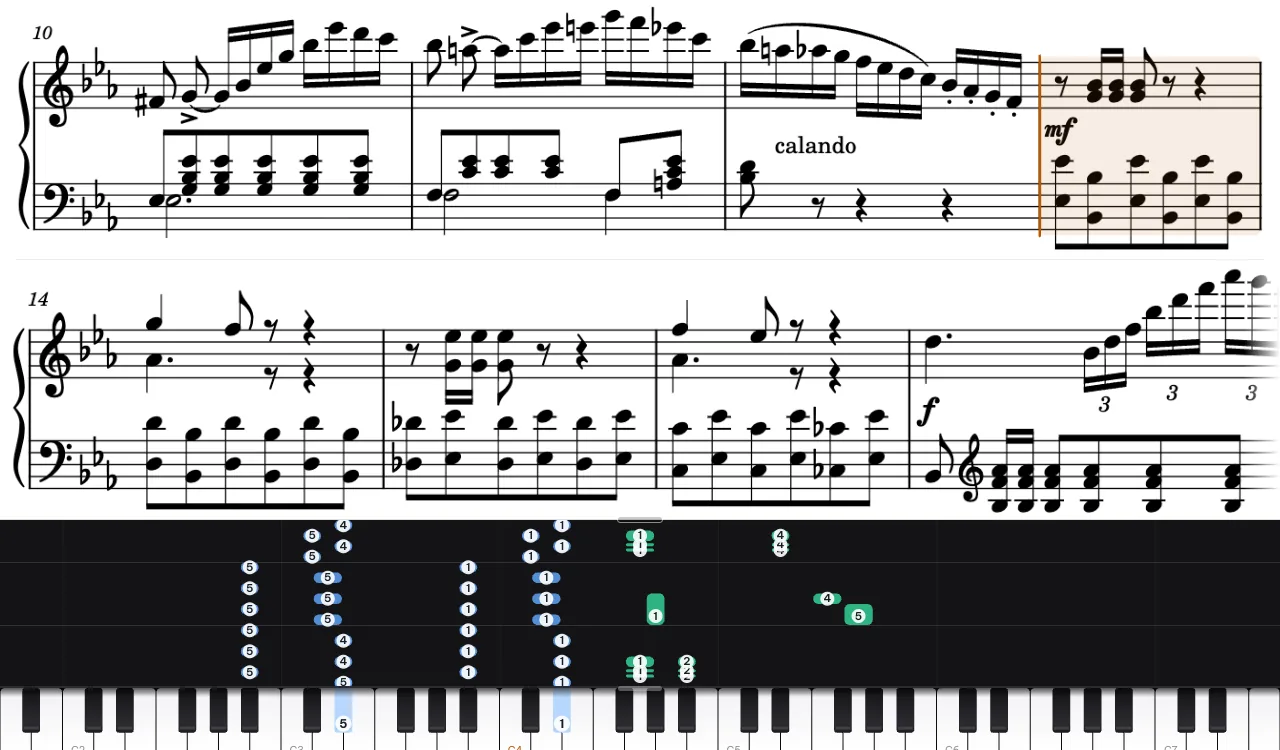
A score that follows the music
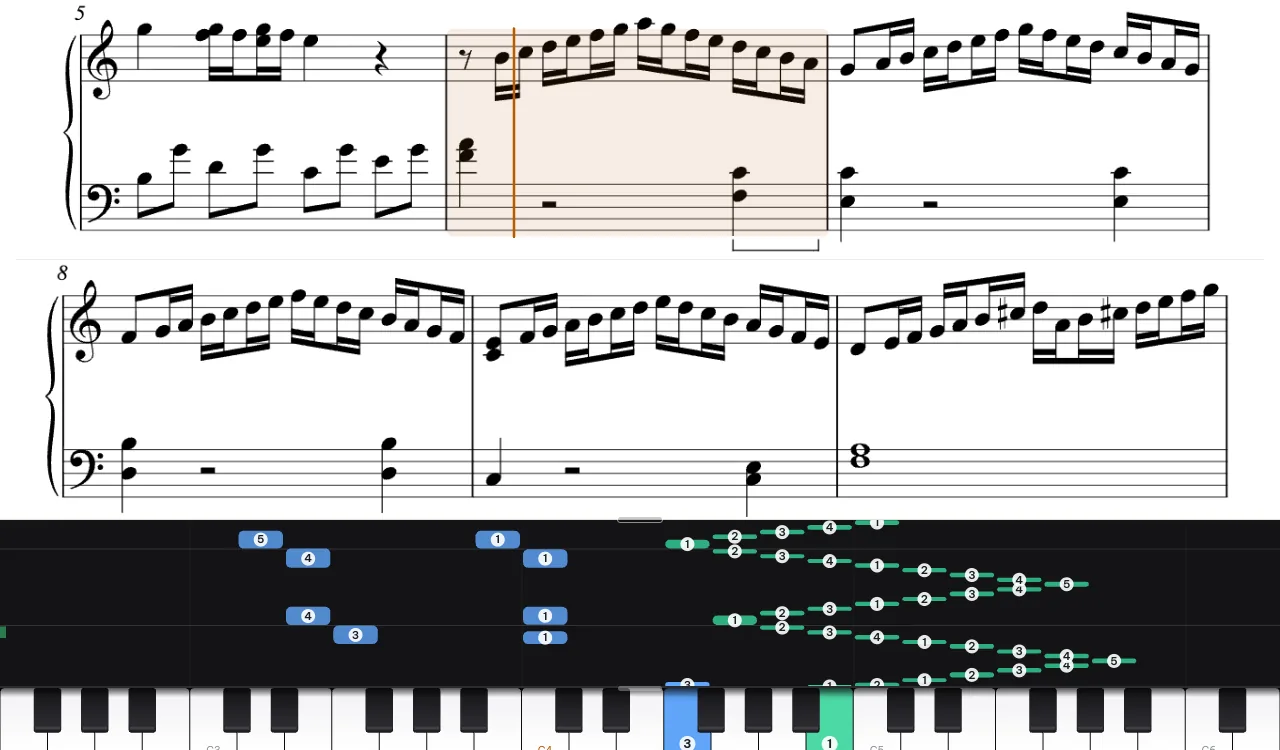
One or two lines above the piano roll, or whole pages side by side on a tablet on the music stand. Tap a bar to jump to it.
Sheet music from a recording
Key signature, clefs, 8va, pedal marks, one voice per hand, fast runs written out evenly: a score to read and print on A4.
Two hands, two colours
The notes are split between the left and right hand; move any note to the other hand, change its pitch or length, add or delete notes.
Fingering suggestions
Finger numbers on the falling notes, worked out for every hand position; fingerings printed in a PDF are kept.
Chord names
Chord symbols from the score fall with the notes; for a lead sheet the app adds a simple left hand.
Export
Download MIDI or MusicXML (for MuseScore), or print the score as a PDF, with your corrections.
Practise
Practise the way a teacher would have you practise
Small sections, hands apart, slowly, then in time, then checked.
Hands separately
Practise one hand while the app plays the other.
Slow it down, loop it
0.25× to 1.25×, any bars on repeat, metronome and count-in; it speeds up once you play a loop well.
Wait mode and rhythm mode
The music waits for the right keys, or keeps going and grades your timing note by note.
Your piano, any piano
A MIDI keyboard (in Chrome or Edge), or the microphone with an acoustic piano.
Record and get graded
Missed and wrong notes, the bars you rush or drag, and your progress over time.
Easier versions
The melody with one bass note a beat (Easy) or a bar (Easiest), to learn a piece step by step.
How it works
Three steps to your first practice
Add a piece
Paste a link or drop a file onto the page.
Wait a moment
A PDF opens in seconds; a three-minute recording takes about half a minute to a couple of minutes, depending on the computer it runs on.
Check it, then practise
Listen to the original next to the notes, fix what needs fixing, start practising.
The app speaks English and Vietnamese: switch under Appearance and language, at the foot of your library.
Questions
Good to know
How accurate is sheet music from a video or an MP3?
On a clean solo piano recording, nearly all notes come out right. The beats, bar lines and note lengths are an estimate: check the score against the recording. If the bar lines drift, tap along to the beat for a few bars and the app redraws them; any note can be corrected in the editor.
Which recordings work best?
Solo piano with a clear sound. Singing, other instruments or talking over the music make the notes less reliable.
Does it work on an iPad or a phone?
Yes, in the browser. A tablet on the music stand works well with the full-page score; the microphone works on tablets and phones too.
Can I print the sheet music or open it in MuseScore?
Yes: print it as an A4 PDF, or download MusicXML and open it in MuseScore or any notation program.
What about copyright?
Use music you have the right to use. Your pieces stay in your own library and are not published.
Start with a piece you want to learn
Paste a link or drop a file. The notes, the score and the practice tools are a moment away.
Open the app